6.5 FinanzOnline Submission
Austria - Bundesministerium Online Filing in XML Authority
XML Authority can submit Austrian Aufzeichnungspflichten gemäß § 18 Abs. 11 und 12 UStG returns directly to the Austrian FinanzOnline service, without requiring you to upload the XML file separately outside the application.
The schema is available in XML Authority Schema Library under:
Austria > Bundesministerium > Aufzeichnungspflichten gemäß § 18 Abs. 11 und 12 UStG
Please note: Online submission is a separately licensed feature. If the Online Submission option is not available in your application, please contact Authority Software Support.
Before you start
Before submitting your return, we recommend checking the following:
· The return has been completed and the available validation checks have been run.
· You have valid FinanzOnline login details.
· Your XML Authority licence includes the FinanzOnline Submission feature.
Submit your return
1. Open the completed Aufzeichnungspflichten gemäß § 18 Abs. 11 und 12 UStG report in XML Authority.
2. Select Export to XML with Advanced Options.
3. Open the Online Submission tab.
4. Click Submit to FinanzOnline.
5. Enter your FinanzOnline login details.
6. Click Export and submit…
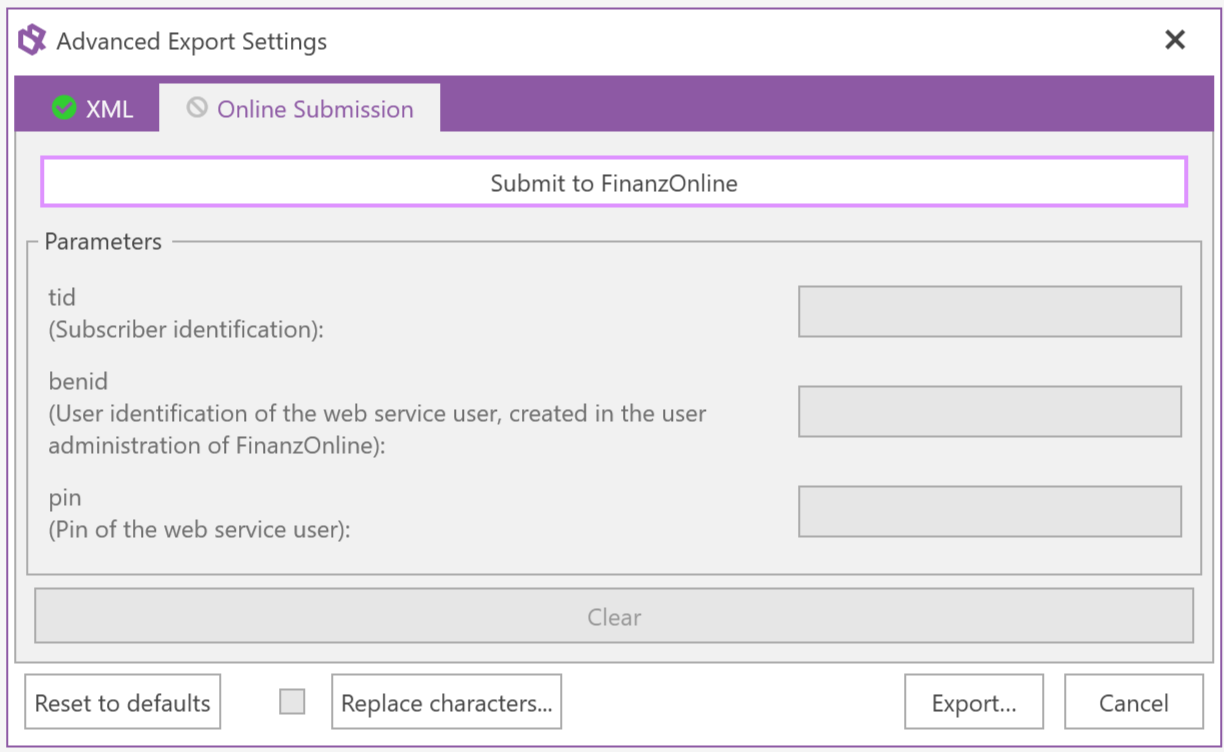
Online Submission is available from the Advanced Export Settings form.
XML Authority will then automatically log in to FinanzOnline, submit the return and log out of the service when the submission process has completed. You do not need to perform these steps separately.
Review the submission result
The Online Submission window displays feedback received during each stage of the process, including login, submission and logout. Review the messages shown after submission and confirm that the return has completed successfully.
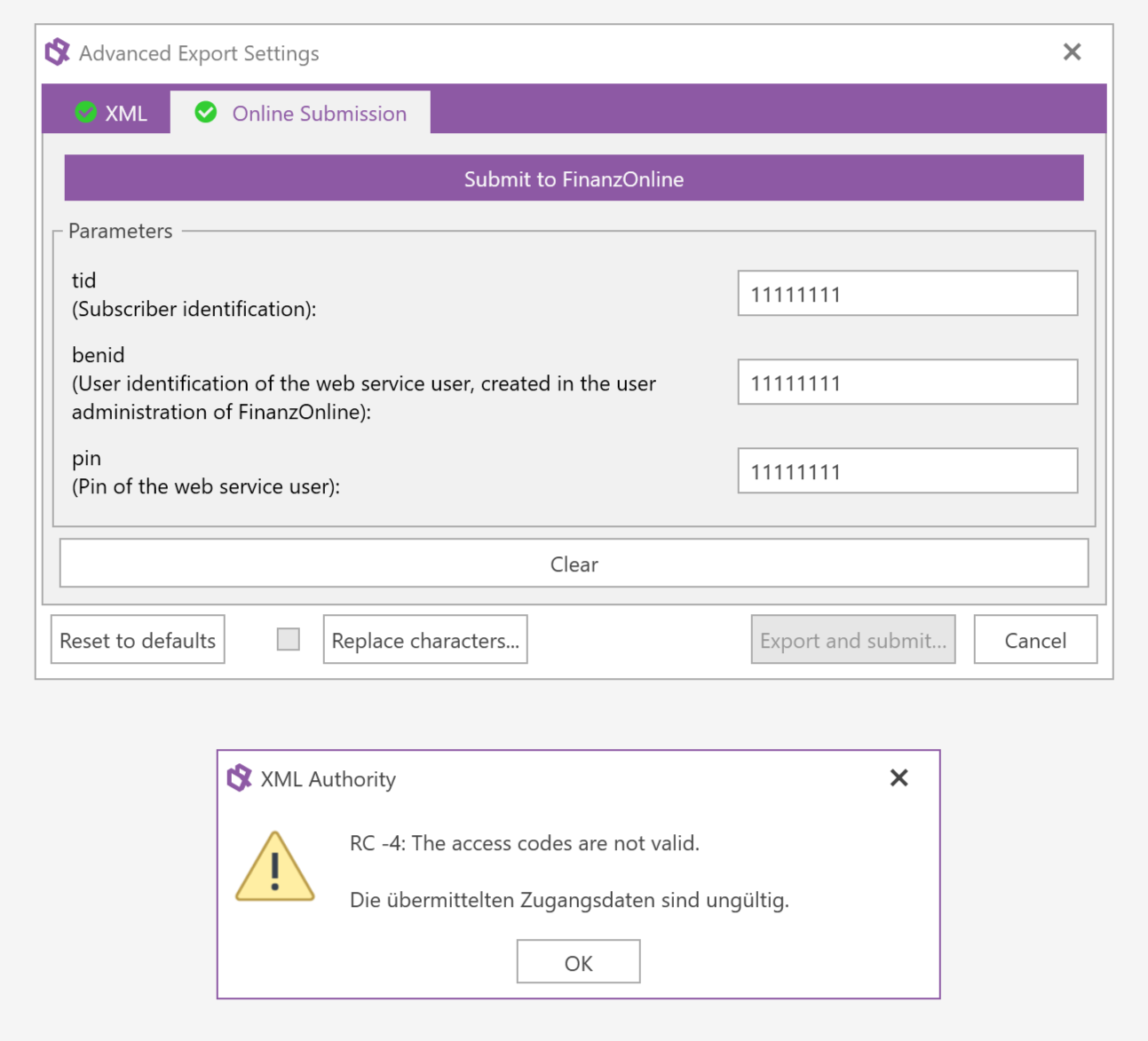
Example of submission feedback returned during the FinanzOnline process.
Important: If the submission is unsuccessful, retain the feedback shown in the Online Submission window before closing it. The message can help identify the reason for the unsuccessful submission.
Troubleshooting and further assistance
If you are unable to submit your return or receive an error during the submission process, please contact Authority Software Support and provide:
· a screenshot or copy of the feedback displayed in the Online Submission window;
· the stage at which the submission failed, if known;
· the version of XML Authority you are using; and
· a copy of the XML file or XML Authority document, where appropriate.
Security: For security reasons, please do not send passwords, authentication codes or other confidential login credentials to Authority Software Support.